DayZ cheats: how to choose a product for your needs
In DayZ, knowing what is behind a wall, whether a building contains useful items, and how dangerous a nearby player may be can change your next move. Different products approach these tasks differently: some focus on detailed ESP, while others add Aimbot, Silent Aim, corpse display, or a built-in spoofer. Start with the feature list and system requirements rather than the product name. The DayZ cheat catalog lets you compare the available options, and the guide below explains the practical differences.
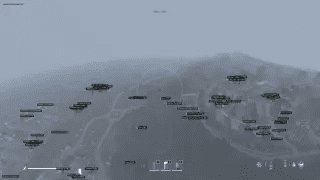
ESP for players, zombies, loot, and vehicles
ESP adds information to the game world. In DayZ, several display types matter. Player ESP highlights characters and may show their distance, zombie ESP concerns infected targets, and loot ESP displays items. One type does not automatically include the others, so check every feature you need on the product page.
For a broad set of visual information, consider AUTHORITY. Its page lists player, zombie, loot, and vehicle ESP, skeletons, distance, and location markers for villages, cities, military bases, and airfields. Loot display distance is configurable, and No Grass is also listed. This makes it relevant for users who want map landmarks and world information as well as player awareness.
Arcane separates visual information into more detailed categories: players, infected, vehicles, animals, items, and different corpse types. Item categories and item quality are available, while Aimbot can ignore players, infected, or animals. This is useful when you want to limit unnecessary on-screen information instead of enabling every marker at once.
Collapse focuses on detailed player information: skeleton, nickname, current weapon, total inventory value, and distance. The maximum player display distance can be adjusted. It is a practical choice when equipment and distance matter more than a simple box around a character. MEDUSA also lists loot and corpses, configurable box styles, a player list, and a death-location section, with visual elements that can be adapted to your screen.
For loot runs, enabling every marker is not always helpful. Select the categories you actually need, set a reasonable display distance, and check whether the overlay remains readable in towns and open terrain. An overloaded ESP overlay can obstruct your view, so configuration matters as much as feature availability.
Aimbot, Silent Aim, and targeting controls
Aimbot assists with targeting, but its controls differ between products. Memez lists aim-bone selection, FOV, targeting distance, FOV display, automatic target switching, and a separate Target Zombies option. MASON includes Silent Aimbot and controls for precision, radius, distance, activation key, random body part, and automatic switching to the next target.
Arcane provides bone selection, FOV radius, maximum distance, FOV-circle styles, and a target line. MEDUSA includes body-part or random-area selection, radius and distance controls, and target options for friends, zombies, and animals. AUTHORITY lists standard and Silent Aimbot, FOV, smoothing, target selection, and targeting for players or zombies. Read the supplied instructions before changing these settings: options with similar names may behave differently across products.
Radar, spoofer, and additional features
Radar and ESP are not the same feature. ESP places markers in the game world, while radar normally provides a separate representation of object positions. Do not assume that radar is included merely because a product has player or loot ESP; look for an explicit radar entry in the selected product's feature list. Apply the same rule to No Recoil and other options: verify the actual feature name instead of relying on a general heading.
A built-in spoofer is listed for AUTHORITY and MASON. The Memez, MEDUSA, Collapse, and Arcane pages state that no spoofer is included. A spoofer concerns hardware identifiers; it does not replace the product's other features and does not make third-party software safe. Its presence should not be interpreted as immunity from bans or a guaranteed way to regain access to the game.
Other features also distinguish the products. AUTHORITY lists another player's inventory display, Always Day, Debug Camera, and Noclip. Arcane includes item-quality categories and corpse ESP for players, infected, and animals. MEDUSA has configuration, death-location, and player-list sections. These concrete differences are more useful than a raw option count: choose according to the functions you actually intend to use.
System requirements and compatibility
The product pages specify the Steam version of DayZ. Before paying, check not only Windows 10 or Windows 11 but also supported OS builds, window mode, processor, graphics card, and additional launch requirements. For example, AUTHORITY supports Windows 10–11 builds 21H2–23H2 and allows any window mode. MASON and MEDUSA are listed for Windows 10; MASON requires windowed mode, Hyper-V, and a storage device, while MEDUSA uses windowed or borderless mode. Memez requires Hyper-V and windowed mode, with supported Windows 10 and 11 builds listed individually on its page. Collapse uses fullscreen-windowed mode, and Arcane uses windowed mode; their exact build ranges are shown on their respective pages.
A general Windows 10–11 label does not replace checking the exact build. DayZ or Windows updates can change compatibility, so review the current product information before purchasing and again after a game patch. Do not disable system components or change settings at random; follow only the instructions for the selected product.
Risks, purchasing, and launch
Third-party cheats may violate DayZ rules and the terms of gaming services. Account bans, access restrictions, and other enforcement measures are possible; a built-in spoofer does not remove these risks. A private product or successful operation after earlier patches does not promise future safety. Consider the value of your game account and make the decision with those consequences in mind.
To purchase on MEMEZ, top up your balance, open the relevant product page, choose an access period, and place the order. After payment, access data and instructions appear in your account dashboard. Activation uses the MEMEZ launcher and a key; the exact launch sequence depends on the product. Check the system requirements first, then follow the supplied instructions without skipping steps. If the key is rejected, the launcher reports an error, or the software does not start, save the error text and contact support with the product name, Windows version, and steps already completed.
In short, examine AUTHORITY and Arcane for broader world display, Collapse for detailed player information, and MEDUSA for configurable visuals and corpse display. For targeting controls, compare Memez, MASON, and the other product pages by their exact options. Before ordering, revisit the DayZ catalog, verify the current information, and choose only a feature set that matches your system and intended use.