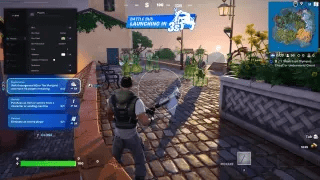
Private Fortnite Cheats for PC: Features, Requirements, and Comparison
The Fortnite category at MEMEZ brings together several Windows products with different feature sets: MASON, MEMEZ, and Arcane. One focuses on a compact visual overlay, while the others add Aimbot, TriggerBot, target filters, weapon-specific settings, and object ESP. A useful comparison therefore goes beyond the product name or license term: check the actual functions, supported Windows build, game client, and required window mode.
The guide below is based on the individual product cards. License prices, available durations, and product state can change, so consult the selected card and the MEMEZ status page for current information before placing an order.
Fortnite Product Overview
MASON is the compact option for users who want ESP-style visual information without an Aimbot section. Its card lists four features: 2D boxes, skeletons, distance to targets, and a maximum rendering distance. The last setting controls how far away objects can be before their information is no longer drawn.
- Box: draws 2D boxes.
- Skeleton: draws character skeletons.
- Distance: shows distance information.
- Max Distance: sets the rendering distance limit.
The MASON requirements list the Epic Games client, Windows 10/11 x64, Intel and AMD processors, NVIDIA and AMD graphics cards, and Borderless Windowed mode. There is no built-in spoofer, while Storage is marked as available. This is the clearest product to evaluate when visual cues are the priority and automatic aiming is not required.
MEMEZ is the broader combined option. Its card describes 38 features, including Aimbot, ESP visual functions, and TriggerBot. The aiming controls include a primary aim key, a second Aimbot key, prediction, and Visible Check. TriggerBot has a shotgun-only setting and an option to use a dedicated keybind.
- Aimbot: enable controls, two activation keys, prediction, and visibility checking.
- ESP: visual information about game objects; consult the card for the complete element list.
- TriggerBot: conditional automation with separate keybind and shotgun-related settings.
MEMEZ is listed for the Epic Games client and Borderless Windowed mode, with Intel/AMD CPUs and NVIDIA/AMD GPUs. Its operating system requirements are build-specific: Windows 10 20H2, 21H2, and 22H2; Windows 11 23H2, 24H2, 25H2, and 26H2. Storage and a built-in spoofer are both marked as unavailable. Checking the Windows build is therefore just as important as checking the major OS version.
Arcane for Fortnite: detailed aiming and ESP configuration
Arcane lists 63 features, including 13 options in its aiming section. Aimbot settings are separated into Global, AR, DMR, SG, SR, LMG, and Other weapon categories. Available controls include a keybind, on-hold or always-on operation, target selection, target bone, smoothness, FOV radius, visibility checking, and maximum distance. Target options cover players, bots, knocked characters, and teammates; target bones include head, neck, body, and pelvis.
The ESP description includes player boxes and skeletons, health, distance, weapon, potion, and chest highlighting, plus a warning about an enemy behind the player. Prediction is intended to account for target movement and projectile behavior at range. Arcane is consequently the most detailed of the three cards for users who want weapon-specific and target-specific configuration.
Arcane's technical card lists the Steam client, Windows 10–11 builds 2004 through 23H2, Intel/AMD CPUs, NVIDIA/AMD GPUs, and Windowed mode. Storage and a built-in spoofer are not included. Since both the listed client and window mode differ from the other products in this category, verify these fields carefully before ordering.
MASON vs MEMEZ vs Arcane
- MASON: four visual features, Epic Games, Borderless Windowed, and a general Windows 10/11 x64 requirement.
- MEMEZ: Aimbot, ESP, and TriggerBot with additional aiming controls, Epic Games, Borderless Windowed, and an explicit list of supported Windows builds.
- Arcane: extensive weapon-category and target settings, expanded ESP, Steam, Windowed mode, and support for the stated Windows build range.
For a minimal interface centered on boxes, skeletons, and distance, start by reviewing MASON. For aiming and trigger functions in one product, review MEMEZ. For separate weapon categories, bone selection, and detailed target filters, Arcane provides more documented controls. This is a feature comparison, not a promise of match results or account safety.
How to Choose a Fortnite Product
- Define the feature type you need. ESP supplies visual information, Aimbot assists with targeting, and TriggerBot is a separate function rather than a substitute for every Aimbot setting.
- Check the Windows build. Compare your exact OS build with the product card. A general Windows 10–11 label does not necessarily include every release.
- Confirm the game client and window mode. Epic Games versus Steam and Windowed versus Borderless Windowed are independent requirements that matter during setup.
- Read the complete feature list. Short descriptions do not show every filter, keybind, or limitation. Use the detailed card rather than assuming that similarly named products have identical menus.
- Review current purchase conditions. Check the available license term, tariff, and product information at the time of purchase instead of relying on old screenshots or reviews.
What the Main Features Mean
ESP presents visual information such as boxes, skeletons, health, distance, or items; the exact elements depend on the product. Aimbot assists with aiming at a selected model area. Smoothness changes the aiming movement, FOV defines the capture area, and Visible Check takes target visibility into account. Prediction calculates lead based on movement and distance. TriggerBot automates an action when its configured conditions are met. Two products can share a feature name while offering different controls.
Also check the Spoofer field: MASON, MEMEZ, and Arcane all state that no built-in spoofer is included. Do not assume that one is bundled with a license or that it would eliminate possible sanctions. If compatibility or package contents are unclear, ask MEMEZ support before purchasing.
Purchase, Activation Key, and Launch
After purchase, the activation key and detailed instructions are available in the account dashboard under Purchases. The product cards describe activation through the MEMEZ launcher and your key. Preparation steps can differ between products, so follow the instructions for the exact item you purchased and configure the required window mode rather than using a guide for another game.
If launch fails, save the error text and take a screenshot or video. Include your Windows version and relevant PC details when contacting support so that compatibility can be checked efficiently. Customer experiences are available on the MEMEZ reviews page, but an individual review does not replace a compatibility check.
Updates, Product Status, and Risk
Fortnite and anti-cheat updates can affect feature support and product availability. Review the current status information before buying or launching again, and read the latest notes on the product card. No status guarantees account safety, uninterrupted operation, or freedom from bans. Third-party game software may violate Epic Games rules and result in sanctions; users make their own decision and assume the associated risk.