Cheats for Rust
Cheats for Rust on PC: Aimbot, ESP, Radar, Loot, No Recoil, Chams. 10 products from $1.20. Compare live statuses, system requirements and tariffs before buying.
Working: 10 of 10
Updated: Nov 20, 2026, 12:45 MSK
68 purchases in the last 7 days
InternalX Memez
Level up your Rust experience with the Internal cheat! Use Raid ESP, Aimbot, Wallhack, No Recoil, and Silent. Perfect for LEGIT and RAGE playstyles. Push your …
Working
from
$5.96
Updated: Nov 20, 2026, 12:45 MSK
1629 purchases
EXTERNAL
Cheat with a large feature set: AimBot, Wallhack, No Recoil, plus ESP for plants and ores. Does not inject directly into the game, which greatly reduces ban ri…
Working
from
$4.25
Updated: Nov 20, 2026, 09:54 MSK
3061 purchases
Lite
Lite version of the cheat with player ESP only. A great fit for legit play with minimal ban risk. Simple and easy to use, stays stable, and helps you gain an e…
Working
from
$1.93
Updated: Nov 18, 2026, 14:31 MSK
2556 purchases
Bestseller
Win 10-11
NoRecoil
Macro for Rust: recoil control, Rapid fire, Hip fire, Randomization. Sens/ADS/FOV tuning. No USB stick required. Windows 10-11.
Working
from
$1.20
Updated: Nov 18, 2026, 13:35 MSK
3709 purchases
MASON
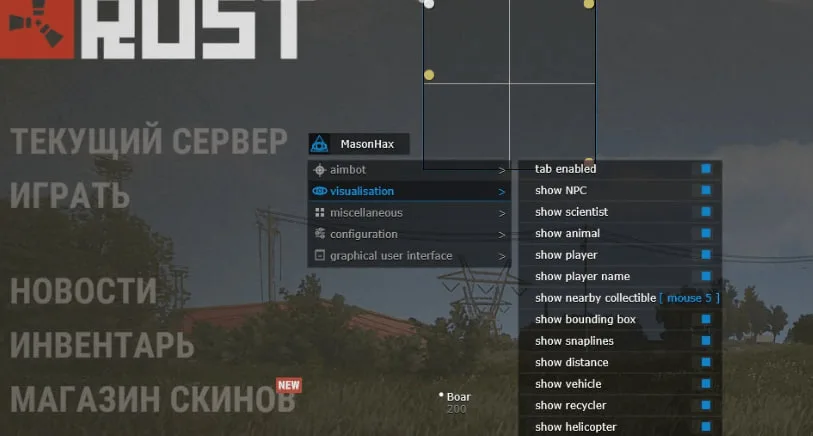
A cheat from the Mason developers with the core features: Aimbot, Wallhack, No Recoil and Freecam. Great for legit play, letting you feel confident at all time…
Working
from
$4.85
Updated: Nov 7, 2026, 12:13 MSK
369 purchases
MasInt
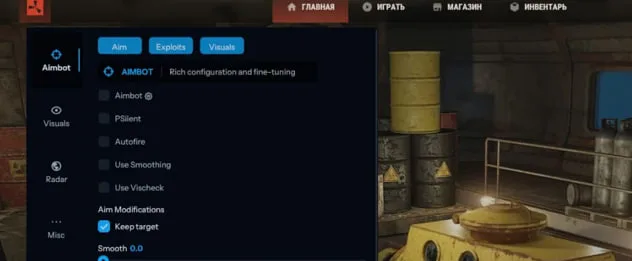
Private MasInt cheat for Rust: ESP for players/NPCs/vehicles, Aimbot, Flyhack, Auto Heal, Auto Upgrade. Any window mode. Win 10-11.
Working
from
$5.83
Updated: Nov 7, 2026, 12:13 MSK
170 purchases
Stealth
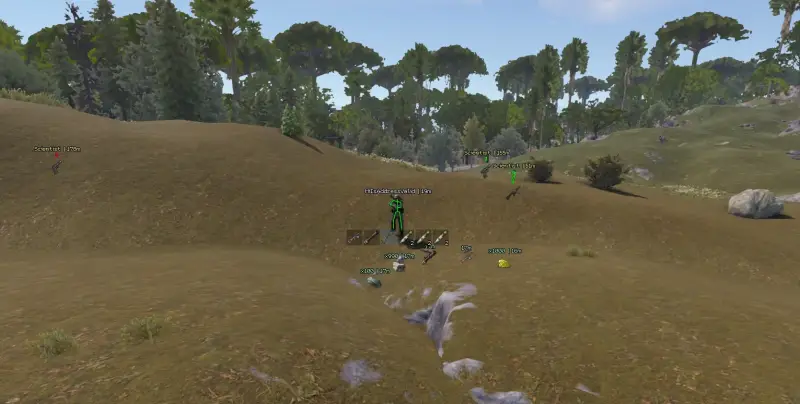
Stealth cheat for RUST: player ESP, wallhack, chams customization. For quiet and careful play. Windows 10-11.
Working
from
$6.08
Updated: Nov 20, 2026, 07:22 MSK
313 purchases
Stealth Lite
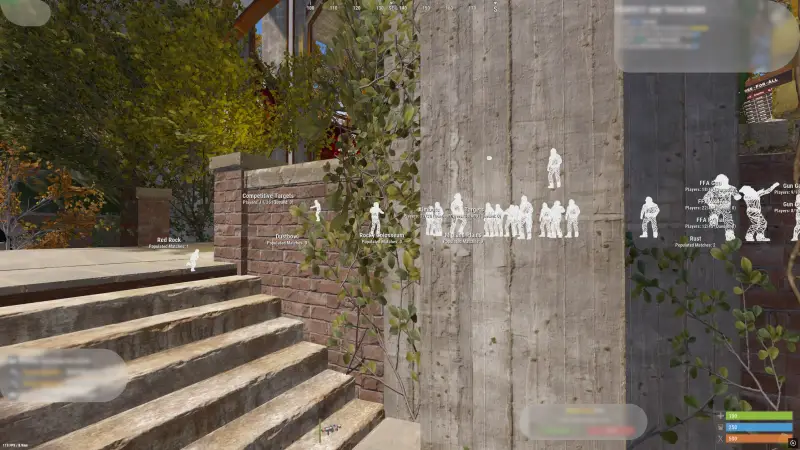
Lite version of the Stealth cheat with the core features: Chams, Bright Night, and Debug Cam. A great fit for legit play, with comfortable gameplay and minimal…
Working
from
$3.04
Updated: Nov 7, 2026, 08:45 MSK
511 purchases
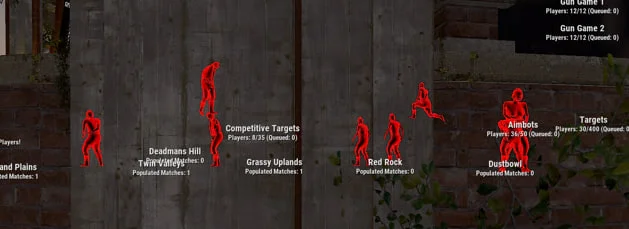
CHAMS
CHAMS cheat for RUST — colored player silhouettes through walls (Glow, Flat, Wireframe). Bright Night, remove walls. Win 10-11.
Working
from
$3.64
Updated: Nov 6, 2026, 10:10 MSK
341 purchases
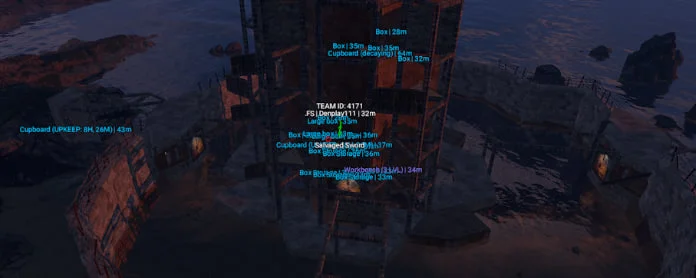
MR_PRO
Cheat with diverse features: Aimbot, Silent Aimbot, convenient settings for any playstyle, ESP on loot and animals. Suitable for both rage and legit play, help…
Working
from
$6.08
Updated: Nov 7, 2026, 08:46 MSK
80 purchases
NFA · NEW
2h
RUST
NFA · NotFullAccess
NFA Accounts · Rust
Ready Steam accounts with auto-replace 2h. 20 tariffs in stock.
Auto-replace 2h
from
$1.67
How to choose a cheat for Rust
Compare features, launch methods, system requirements and price. Consider not only the feature set, but also compatibility with your PC.
| Product | Main features | Launch | Requirements | Price |
|---|---|---|---|---|
| Aimbot, pSilent, Raid ESP, Wallhack, No Recoil, No Spread, Radar, Chams | MEMEZ launcher + key | Win 10 20H2–22H2 / Win 11 23H2–26H2; windowed mode | from $5.96 | |
| Aimbot, Silent, Wallhack, No Recoil, plant and ore ESP, Chams | MEMEZ launcher + key | Win 10 20H2–22H2 / Win 11 23H2–26H2; borderless; Hyper-V | from $4.25 | |
| Player 3D Box ESP only | MEMEZ launcher + key | Win 10 20H2–22H2 / Win 11 23H2–26H2; any window mode | from $1.93 | |
| NoRecoil, automatic fire, BurstOff, adjustable recoil compensation | MEMEZ launcher + key | Windows 10–11 (2004–25H2); any window mode | from $1.20 | |
| Aimbot, Wallhack, No Recoil, Freecam | MEMEZ launcher + key | Windows 10/11 (21H1–23H2); borderless; Hyper-V; storage drive required | from $4.85 | |
| Aimbot/Silent, player/NPC/vehicle ESP, Flyhack, Auto Heal, Auto Upgrade | MEMEZ launcher + key | Windows 10–11 (22H2–26H2); any window mode; storage drive required | from $5.83 | |
| Player/NPC/loot ESP, Aimbot, Radar, Chams, resource ESP | MEMEZ launcher + key | Windows 10/11 (22H2–25H2); windowed/borderless; Hyper-V; storage drive required | from $6.08 | |
| Chams, Bright Night, Debug Cam | MEMEZ launcher + key | Windows 10/11 (22H2–25H2); borderless; Hyper-V; storage drive required | from $3.04 | |
| Chams: Glow/Flat/Wireframe, Visible Check, Bright Night, wall removal | MEMEZ launcher + key | Win 10 21H2–22H2 / Win 11 21H2–25H2; windowed; storage drive required | from $3.64 | |
| Aimbot, Silent Aimbot, loot/animal/resource ESP, Radar | MEMEZ launcher + key | Windows 10/11 (22H2, 25H2); Intel; borderless; Hyper-V | from $6.08 |
How to choose a Rust cheat for a specific task
The Rust catalog on MEMEZ covers different use cases, from a standalone recoil-control macro to products with Aimbot, ESP, world settings and automation. Start with what you actually need rather than the length of a feature menu. You may want to see player models, track resources and vehicles, adjust aiming, or only compensate for recoil. Open the relevant product page and compare its features, current state and PC requirements before making a decision.
A broader toolkit is not automatically more convenient. A focused visual product is easier to configure when a single on-screen cue is enough. If you need aiming assistance, object ESP and additional utilities, compare the more comprehensive options, but verify every feature on the individual product page. Labels such as Internal, External, Lite or Stealth do not replace that comparison and do not promise account safety.
A quick guide by use case
- For a minimal player visual, consider Lite: its current description lists a 3D box around the player model.
- For colored character models, look at products with Chams; the standalone CHAMS page lists Glow, Flat and Wireframe modes.
- If you only need weapon-behavior tools without visual ESP, consider NoRecoil as a dedicated macro.
- For Aimbot, extended ESP and world-object settings, compare InternalX Memez, EXTERNAL, MASON, MasInt, Stealth and MR_PRO. Their feature sets and compatibility requirements are different.
Internal, External, Lite, No Recoil, Chams and Stealth: the actual differences
InternalX Memez and EXTERNAL
InternalX Memez is a comprehensive option. Its page lists Memory Aimbot and pSilent Aimbot, aiming controls, No Recoil, visual elements, Radar, Chams, resource and world-object ESP, and Raid ESP. It is intended for users who want a broad toolset in one product. The listed requirements include the Steam client, supported Windows 10 or 11 builds and windowed mode; no USB drive is required.
EXTERNAL also combines Aimbot, Wallhack, No Recoil and ESP, including plants and ores. Its description states the main architectural distinction: it does not inject directly into the game process. That architecture does not prevent bans or make the software permitted by the game's rules. EXTERNAL requires Hyper-V and fullscreen windowed mode, but not a USB drive. When comparing it with InternalX Memez, consider the required features, window mode and Hyper-V setup as well as the architecture.
Lite, Stealth Lite and CHAMS are three different focused options
Lite has the narrowest current description: its listed function is a visual player box. Aimbot and No Recoil are not listed for this product. The page allows any processor, graphics card and window mode, but your exact Windows build must still match the supported list.
Stealth Lite is a separate product, not another name for Lite. Its description highlights Chams, Bright Night and Debug Cam. Unlike Lite, it requires a USB drive and Hyper-V, and its display mode is fullscreen windowed. The word Lite describes the feature set; it does not remove system requirements or account-related dangers.
CHAMS focuses on character rendering. The description includes colored silhouettes through walls, Glow, Flat and Wireframe options, a visibility check, Bright Night and wall removal. It is not presented as an all-purpose Aimbot package, so choose it specifically for those visual modes. CHAMS requires a USB drive and windowed mode, and its supported Windows builds differ from Lite and Stealth Lite.
NoRecoil is a macro, not a full ESP package
NoRecoil is designed around weapon behavior. The current feature list on its page covers recoil compensation, automatic firing, removal of the Burst cutoff and percentage-based adjustment of compensation strength. This is a separate use case: do not expect player, loot or vehicle ESP from this macro. Its description allows any window mode and does not require a USB flash drive. Before buying, check your Windows version and make sure you need macro functions rather than target-based Aimbot controls.
MASON, MasInt, Stealth and MR_PRO
MASON combines Aimbot, Wallhack, No Recoil and Freecam. Its menu also includes aiming settings, visual functions and utilities. The page lists Hyper-V, a USB drive and fullscreen windowed mode. It suits users who want both aiming and visual information and whose Windows installation matches its more specific build list.
MasInt, also presented as Mason Internal, has extensive sections for player, NPC and vehicle ESP, Aimbot, world objects, traps, resources and loot, as well as Flyhack, Auto Heal and Auto Upgrade. It is aimed at users who want automation alongside combat and visual tools. The page allows any window mode and any graphics card; a USB drive is required.
Stealth should not be judged by its name alone. The description lists player ESP, Wallhack and Chams customization, while the full feature list also includes Aimbot, resources, world objects, Radar and utilities. It requires a USB drive and Hyper-V, with windowed or borderless mode. The name Stealth does not mean that anti-cheat systems cannot detect it or that bans cannot occur.
MR_PRO combines Aimbot and Silent Aimbot, loot and animal ESP, Radar and configuration settings. Aiming controls include the aiming type, target bone, FOV, distance and delays. A key distinction is hardware compatibility: the page lists Intel processors only. It also requires Hyper-V and fullscreen windowed mode, but no USB drive. Based on the published requirements, it should not be considered compatible with an AMD processor.
System requirements and compatibility
All products discussed here are listed for the Steam version of Rust, but a general Windows 10–11 label does not mean that every build is supported. Open winver, compare your exact version with the product page and check the required window mode before paying. When a drive is required, follow the product instructions for the USB flash drive; do not substitute another device unless the instructions explicitly allow it.
| Product | Windows builds listed on the product page | Window mode | Additional requirements |
|---|---|---|---|
| InternalX Memez | Windows 10: 20H2–22H2; Windows 11: 23H2–26H2 | Windowed | No USB drive |
| EXTERNAL | Windows 10: 20H2–22H2; Windows 11: 23H2–26H2 | Fullscreen windowed | Hyper-V; no USB drive |
| Lite | Windows 10: 20H2–22H2; Windows 11: 23H2–26H2 | Any | Any processor and graphics card; no USB drive |
| NoRecoil | Windows 10–11: 2004–25H2 | Any | No USB drive |
| MASON | Windows 10–11: 21H1, 21H2, 22H2, 23H2 | Fullscreen windowed | Hyper-V and USB drive |
| MasInt | Windows 10–11: 22H2–26H2 | Any | USB drive; any graphics card |
| Stealth | Windows 10–11: 22H2–25H2 | Windowed or borderless | Hyper-V and USB drive |
| Stealth Lite | Windows 10–11: 22H2–25H2 | Fullscreen windowed | Hyper-V and USB drive |
| CHAMS | Windows 10: 21H2–22H2; Windows 11: 21H2–25H2 | Windowed | USB drive; any graphics card |
| MR_PRO | The page lists 22H2 and 25H2 for Windows 10–11 | Fullscreen windowed | Intel only; Hyper-V; no USB drive |
Most product pages list Intel and AMD processors with NVIDIA and AMD graphics cards; the exceptions are shown in the table. Every checked product page states that a built-in spoofer is not included. Do not assume that hardware-ID changes are part of the purchase, and do not confuse an external architecture or a macro with a spoofer.
Risks and limitations to consider
Third-party software can violate the rules of Rust and individual game servers. Possible consequences include account bans, access restrictions and other enforcement actions. External architecture, a small Lite feature set or the Stealth name does not remove these dangers. The state shown on a product page helps describe current availability, but it is not a guarantee of future operation or account preservation.
Compatibility is a separate concern. Updates to Rust, Windows or anti-cheat systems can change how the software behaves, and old videos or guides may not match the current version. Do not run files from unverified sources or replace components based on random messages. Use the materials supplied through your account and the current instructions for the specific product.
Buying and launching through MEMEZ
- Open the Rust category, choose a product based on the functions you need and open its page.
- Check its current state, full feature list, Windows build, processor, graphics card, window mode, Hyper-V and USB-drive requirements.
- Select an available access period. The current price and duration options are shown on the product page during checkout.
- After payment, open your account dashboard to access the key and launch instructions. Product pages specify activation through the MEMEZ launcher.
- Follow the instructions for the exact version you purchased, including system preparation and the required window mode. Do not reuse a launch sequence from another product.
- If an error appears, save its text or a screenshot and contact support through the site. Include the product name, Windows version and the steps you have already completed.
This sequence keeps the decision grounded in verifiable details: purpose and compatibility first, then the access period and payment, followed by the key, product-specific instructions and the supplied launcher.
Common questions about Rust
What is the practical difference between InternalX Memez and EXTERNAL?
Both include aiming tools, visual functions and No Recoil, but their feature sets are not identical. InternalX Memez lists Raid ESP and pSilent Aimbot among other options. EXTERNAL is described as not injecting directly into the game process, includes plant and ore ESP, and requires Hyper-V and fullscreen windowed mode. External architecture does not eliminate the possibility of a ban.
Does NoRecoil for Rust include Aimbot or player ESP?
The current NoRecoil page describes a macro for recoil compensation, automatic firing, removal of the Burst cutoff and compensation-strength adjustment. Aimbot and player ESP are not listed in that description. If you need visual information or target controls, choose another product from the category.
How do Lite, Stealth Lite and CHAMS differ?
Lite is limited to a 3D player box. Stealth Lite includes Chams, Bright Night and Debug Cam, and requires a USB drive and Hyper-V. CHAMS focuses on Glow, Flat, Wireframe and other visual modes; it requires a USB drive and windowed mode. They are separate products with different compatibility requirements.
How can I check whether a product supports my Windows build and processor?
Which Rust products require a USB flash drive or Hyper-V?
According to the current product pages, a USB drive is required for MASON, MasInt, Stealth, Stealth Lite and CHAMS. Hyper-V is listed for EXTERNAL, MASON, Stealth, Stealth Lite and MR_PRO. Recheck both fields on the selected product page before paying.
What do I receive after payment, and how do I launch the product?
After payment, the key and instructions become available in your account dashboard. Product pages specify activation through the MEMEZ launcher. Check the current state and compatibility first, then follow the instructions for your exact version, including USB-drive, Hyper-V and window-mode requirements. If an error occurs, contact support with its text or a screenshot.
Do External, Lite or Stealth prevent bans, and is a spoofer included?
No. Architecture, a reduced feature set and a product name do not prevent enforcement by the game or a server. Every checked page in the Rust category states that a spoofer is not included. Check that field separately and do not treat the current product state as a guarantee of account safety.
Reviews of Rust products
Отличный чит Больше для рейджовой игры но можно настроить и под легит
All customer reviewsне получилось установить самому,обратился в поддержку,они огромные молодцы и помогли с установкой,также софт имба
All customer reviewsОтличный чит пенит
All customer reviews