Valorant cheats: how to choose by features and playstyle
Different tools do different jobs in Valorant. A triggerbot reacts when a target enters the crosshair area, an aimbot assists with aiming, and ESP adds visual information about players or objects. A product name alone therefore says little about whether it will fit your setup. Start with the behavior you want, then compare the documented options, Windows support, and required display mode on the product page.
Define the job before comparing feature lists
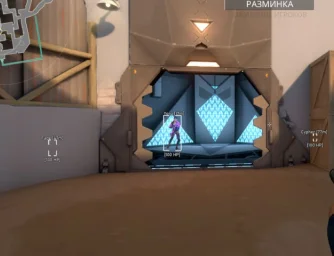
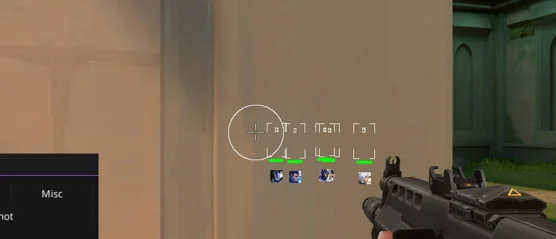
- You hold angles and want control over shot timing. Look for trigger activation modes, pre-shot and post-shot delays, FOV dimensions, fire rate, and color tolerance.
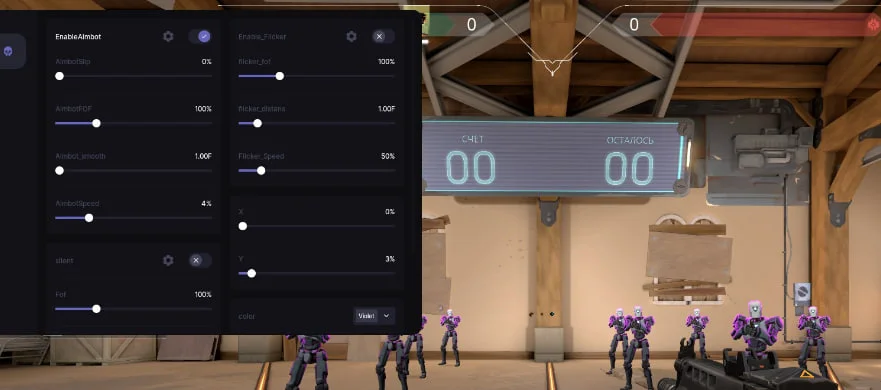
- You want aiming assistance. Compare the actual controls: FOV, smoothing, speed, visibility checks, bone selection, and recoil control are not implemented identically across products.
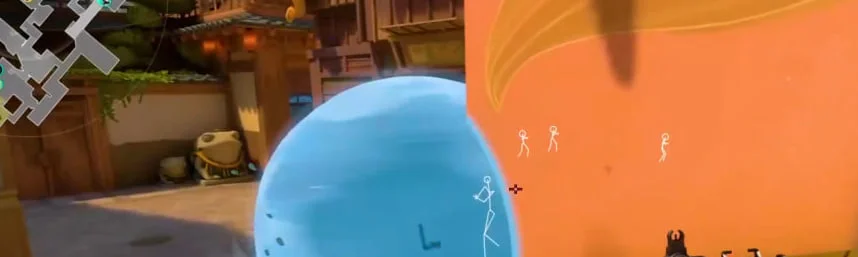
- You prefer to aim manually but want more information. Focus on boxes, skeletons, health, distance, and agent names rather than paying attention to aim-related options you do not need.
- You want several tool types in one package. Verify each function individually instead of assuming that a broad product name includes every option shown elsewhere in the catalog.
Trigger, Aimbot, Colorbot, Lite, and Full: what the names mean here
Trigger is the catalog's dedicated triggerbot. Its listing documents hold, press, and pixel-change activation, X/Y FOV adjustment, delays before and after firing, fire-rate and color-tolerance controls. Auto-strafe, auto-crouch, mouse stop before a shot, and Anti AFK are also listed. It is intended for users who want to tune reaction timing without adding a full ESP package.
Aimbot+Trigger is described as an upgraded version of Trigger. Its documented toolset includes AimBot, TriggerBot, Flicker, and Silent Aim. It works from the player model's color and does not require injection into the game. That color-based operating principle is close to what some users mean by “Colorbot,” but the absence of injection does not remove the possibility of account penalties.
The current Valorant catalog has no separate listings named Trigger V2, Colorbot, or simply Aimbot. Those labels should not be treated as extra products or assigned features from old articles and third-party builds. Aim assistance is actually available in Aimbot+Trigger, MEMEZ FULL, and Euphon, with different settings in each.
MEMEZ is the Lite version of MEMEZ FULL and focuses on visuals. It has no aimbot. Its player ESP includes configurable boxes, health displayed as a bar or text, distance, agent name, skeleton, and head marker. This is the more relevant option when you want information while keeping aiming and firing entirely manual.
MEMEZ FULL combines visual and aiming tools. The product page lists Aimbot with FOV and smoothing, bone selection, visibility and flash checks, TriggerBot, recoil control, player WallHack, Spike and enemy-ability display, and Anti-Flash. It is broader than Lite, but that also means its launch requirements and settings deserve separate attention.
Where DASH and Euphon fit
DASH takes a narrow visual approach. Its listing contains player skeletons and StreamSpoof, which according to the description keeps the cheat overlay out of screen recordings and screen sharing. DASH has no aimbot or triggerbot. It is a distinct product rather than a smaller edition of Full, intended for users who specifically want those two visual functions.
Euphon combines aiming, visuals, and extra options. Its listing includes Aimbot with bone selection, Silent Aim, visibility check, recoil control, FOV and smoothing adjustments, custom keybinds, ESP boxes, skeletons, Chams, Unlock All for skins, and Bunny Hop. Compare it with MEMEZ FULL option by option; the shared presence of an aimbot does not make their configurations identical.
Matching a product to the way you play
For angle-holding and reaction-focused play, Trigger is the logical product to inspect first because its delays and activation zone are central to that task. Aimbot+Trigger is the relevant comparison when you want both color-based reaction and aiming controls. MEMEZ suits manual aiming with a wider set of player information, while DASH is the narrower choice for skeletons and StreamSpoof. MEMEZ FULL and Euphon make sense to evaluate when you already know why you need several feature groups and are prepared to configure them individually.
Do not interpret labels such as Legit or Rage as assurances that a setup will go unnoticed. They describe a usage style, not the absence of consequences. A longer feature list is not automatically a better fit; the useful comparison is whether each documented option serves your intended setup.
System requirements to check before payment
The products described here are listed for the Riot Games client, Windows 10–11, and Intel or AMD processors. Supported Windows builds are not identical across the catalog, so the general Windows label is only a starting point. Open the requirement table for the exact product and compare it with your installed OS build.
- Graphics hardware. MEMEZ, Trigger, MEMEZ FULL, Aimbot+Trigger, and DASH list NVIDIA or AMD GPUs. Euphon's requirement table lists any GPU.
- Display mode. MEMEZ, Trigger, Aimbot+Trigger, and Euphon use borderless windowed mode. MEMEZ FULL requires a maximized window, while DASH lists windowed mode. Using another mode may prevent the software from behaving as documented.
- Additional preparation. MEMEZ and MEMEZ FULL list Hyper-V. The DASH description separately mentions virtualization, Memory Integrity, and Discord overlay requirements. Follow the preparation guide for the product you actually purchase.
- Spoofer and storage device. The current product tables do not list a built-in spoofer or a required separate storage device. This does not replace reading the complete requirements for your chosen item.
Account consequences and compatibility changes
Third-party cheats are not official Valorant features and can violate Riot Games rules. Account suspension or other penalties remain possible. Color-based operation, no injection, StreamSpoof, and restrained settings do not eliminate that possibility. Valorant and Vanguard updates can also change compatibility, so the product's current state should be checked immediately before payment and again before a later launch.
Purchase and first launch
- Open the relevant product page and match its documented functions to your task. A combined package adds little value if you only need visuals or a triggerbot.
- Check the product's current state, supported Windows build, GPU, display mode, and any additional preparation requirements.
- Select an available duration on the product page. Its live price and duration options are the appropriate reference, not figures copied from an older description.
- After payment, obtain the key and launch instructions from your account dashboard. Products in this category are activated through the MEMEZ launcher with a key.
- Follow the supplied instructions for your specific product. If its state or compatibility changes, contact support instead of substituting files or launch steps from unofficial sources.
Use the Valorant cheat catalog to compare the current listings. A sound choice is based on documented functions and PC compatibility, not on a promised match outcome.