Apex Legends cheats in the MEMEZ catalog
Apex Legends asks players to track squad movement, shields, weapons, loot, and positioning at the same time. This category lists three options for the Steam version of the game: MASON, MEMEZ, and MASON FULL. They differ in their feature sets, supported Windows versions, required window modes, and system preparation. Comparing the individual product cards is therefore more useful than choosing by name or price alone.
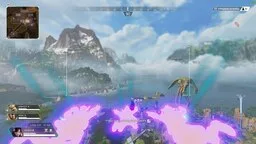
For a compact visual setup, see MASON for Apex Legends. MEMEZ provides more detailed aiming controls and ESP for players and loot. MASON FULL combines aimbot, player and item ESP, recoil control, radar, and additional interface settings.
MASON vs MEMEZ vs MASON FULL
MASON: Glow ESP and adjustable aiming
MASON is the compact option for users who do not want a large menu. Its product description lists Glow ESP for player highlighting, customizable highlight colors, and adjustable aim assistance. The color setting helps make players easier to distinguish against different parts of the environment. MASON is listed for Windows 10, Intel or AMD processors, and NVIDIA or AMD graphics cards. Its window-mode field says “Any,” and a spoofer is not included.
MEMEZ: detailed ESP and aiming controls
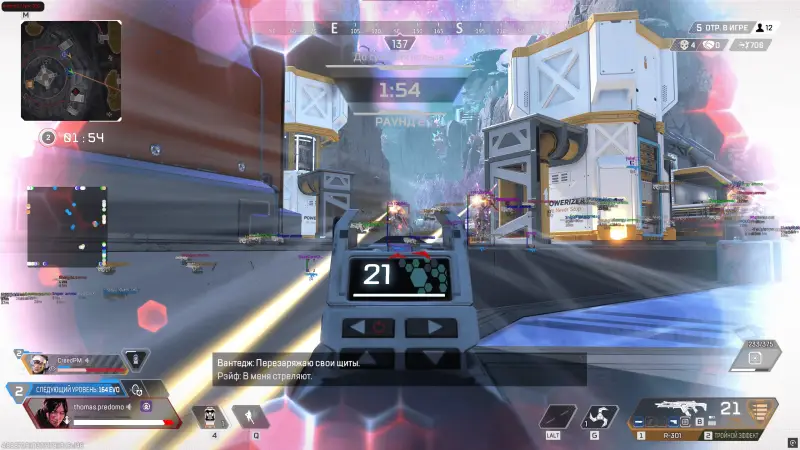
MEMEZ offers a broader set of target and information controls. The aimbot includes a custom activation key, head, body, or nearest-bone targeting, adjustable FOV radius, smoothing, movement prediction, automatic target switching, and recoil control. The FOV radius can also be drawn on screen.
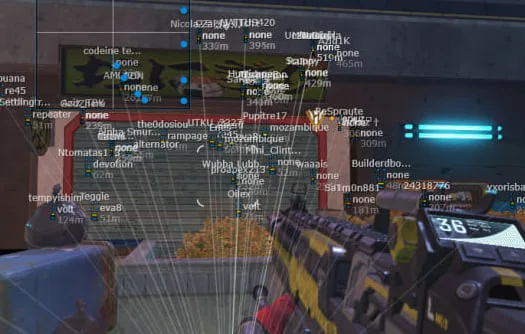
Player ESP includes boxes and skeletons, separate health and shield bars, player names and weapons, distance, a maximum draw distance, off-screen enemy arrows, and radar. Teammates can be hidden, and training dummies have a separate display option for the Firing Range. Loot ESP covers weapons, attachments, ammunition, armor, grenades, and consumables. Item distance, maximum display range, and a minimum-rarity filter help reduce unnecessary labels.
The menu also provides an emergency shutdown key, BattleMode, config saving and loading, and interface language selection. MEMEZ is listed for Windows 10 22H2 and Windows 11 22H2, 24H2, or 25H2, with the Steam client and Windowed mode. Its card says that no spoofer is included. Preparation includes virtualization, VT-d, Hyper-V, and Memory Integrity, along with other product-specific requirements; follow the supplied guide rather than a generic setup sequence.
MASON FULL: extended visuals and a built-in spoofer
MASON FULL is listed for Windows 10 and the Steam version of Apex Legends. It requires Borderless Windowed mode and includes a built-in spoofer. The spoofer is a feature of the package, not a promise that an account will be protected.
Its aimbot settings include an activation key, radius, smoothing, target body part, and automatic switching to the next target within the selected radius. Player ESP can show a 2D box, line, name, distance, current weapon, health, and shields, with an option to hide teammates. Item ESP separates weapons, ammunition, attachments, gear, grenades, and healing items. Player and loot draw distances can be adjusted separately.
Recoil control has adjustable strength, while radar size and radius can also be configured. Additional options include a central crosshair, a CPU-saving mode, an emergency shutdown key, BattleMode, and config saving or loading through the clipboard. For a closer look at these tools, read the MASON FULL feature overview.
How to choose an Apex Legends cheat
- Check the operating system. MASON and MASON FULL are listed for Windows 10. MEMEZ supports the specific Windows 10 and 11 builds named on its card. The OS name alone does not establish compatibility.
- Confirm the client and window mode. All three products are described for Steam. MASON allows any window mode, MEMEZ requires Windowed, and MASON FULL requires Borderless Windowed.
- Match features to your needs. MASON focuses on Glow ESP, colors, and adjustable aim assistance. For loot ESP, rarity filtering, skeletons, prediction, and radar, compare MEMEZ with MASON FULL.
- Read the launch requirements. Virtualization, Hyper-V, security settings, and third-party anti-cheat requirements can differ. Do not apply one product's instructions to another.
- Check availability before payment. Use the MEMEZ status page to review the current state of the exact product you intend to buy.
Purchase, activation, and PC preparation
After payment, the user receives a key and launch instructions, with activation through the Memez launcher. Read the guide for the selected product in full, verify the Windows build and game client, and keep the required system details available. Avoid downloading extra loaders or libraries from unknown sources. If an error appears, record its exact text and the launch stage; this gives support more useful information than a general statement that the software does not work. Hide license keys and personal information in screenshots.
Some instructions require changes to virtualization or Windows security settings. These changes affect the whole computer, so their purpose should be understood and the original settings recorded first. The article on Apex Legends software compatibility and installation explains how to check versions, sources, and error information before making changes.
Features, risks, and game rules
ESP and radar display additional information, aimbot automates aiming, and recoil control compensates for crosshair movement. These are separate functions: one does not imply the others. Enabling every visual label is not always helpful either, because excessive information can obscure the game scene. A focused configuration is easier to read.
Third-party cheats violate the Apex Legends rules and can result in a temporary or permanent account ban. A paid subscription, a private build, or a built-in spoofer does not remove that risk. Consider the possible consequences before using any of these products. For more background, see the guide to Apex Legends cheat types, features, and selection criteria.