Which CS2 products are listed on MEMEZ?
The category contains three software products — MASON Internal, PREDATOR, and Arcane — plus Counter-Strike 2 NFA accounts. NFA is a Steam account product, not a cheat.
Cheats for Counter-Strike 2 on PC: Aimbot, ESP, Radar, No Recoil, Chams, Loot, Triggerbot. 3 products from $1.22. Compare live statuses, system requirements and tariffs before buying.

MASON Internal cheat for CS2. Aimbot with hitbox selection, RCS, player ESP, chams, radar. Windows 10-11.

Private PREDATOR cheat for Counter-Strike 2. Player ESP, chams, Glow, aimbot with FOV and Smooth. Windows 10-11.
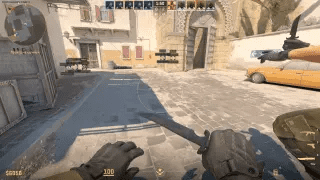
Private Arcane cheat for CS2. Aimbot, player and object ESP, custom settings. Win 10-11.
Ready Steam accounts with auto-replace 2h. 16 tariffs in stock.
Compare products by features, launch method, system requirements and price. Check the compatibility of the exact version before buying.
| Product | Main features | Launch | Requirements | Price |
|---|---|---|---|---|
| Aimbot with hitbox selection and smoothing, recoil control (RCS), player ESP, chams, Glow, triggerbot with adjustable delay, and radar. | Instructions supplied with the key | Windows 10–11. | from $1.22 | |
| Player ESP, chams, Glow, and aimbot with FOV and Smooth settings. | Instructions supplied with the key | Windows 10–11. | from $1.83 | |
| Aimbot with visibility check, smoothing, FOV, and bone selection; player and object ESP with boxes, skeletons, head marker, health, distance, weapons, and dropped items; custom settings. | Activate through the MEMEZ launcher with your key; run the game in windowed mode. Detailed instructions are supplied with the key. | Steam client; Windows 10–11 (2004–23H2); Intel or AMD CPU; NVIDIA or AMD GPU; windowed mode; no spoofer required. | from $1.53 |
The MEMEZ CS2 category includes MASON Internal, PREDATOR, Arcane, and a separate section for Steam NFA accounts. The first three are software products for Counter-Strike 2, but they differ in features, implementation, window mode, and launch procedure. NFA is not a cheat: it is a ready-made account with the characteristics stated for the selected tariff.
Do not choose by name or price alone. Open the product page, check the current state on the status page, compare the feature lists, and make sure your Steam client, Windows build, and game window mode match the requirements. A status describes the product's current state; it does not guarantee that an account will avoid enforcement.
| Product | Main focus | What to consider | Window mode |
|---|---|---|---|
| MASON Internal | Aimbot with hitbox selection, RCS, player ESP, chams, and radar | Worth comparing when aim controls, recoil compensation, and radar matter in one package | Fullscreen borderless |
| PREDATOR | Player and item ESP, chams, Glow, and aimbot with FOV and Smooth | Relevant for players comparing visual information, loot features, and aim smoothing controls | Fullscreen borderless |
| Arcane | External software with ESP and detailed aimbot settings | Uses an external implementation and lists visibility, bone, and FOV controls; requires windowed mode | Windowed |
| CS2 NFA | Ready-made Steam accounts with tariff-specific characteristics | An account rather than software; check Prime, hours, email type, and the selected tariff's terms | Not applicable |
Compare MASON Internal with the alternatives if aiming controls and additional player information are your priorities. Its description lists an aimbot with hitbox selection, FOV and activation-condition settings, RCS for recoil compensation, player ESP, chams, and radar. The stated RCS and radar distinguish its listed feature set from PREDATOR, while its internal implementation and settings differ from Arcane.
Do not assume that similarly named features work identically across products. An aimbot in all three products does not mean the same controls are available in each one. Check MASON's current menu items on its product page and follow its product-specific instructions: the published guide says to load CS2 fully first, then minimize the game without closing it before starting the loader.
PREDATOR combines player ESP, chams, and Glow with an aimbot that has FOV and Smooth settings. Its public ESP list also names dropped items, an armor bar, and a defuse kit, while the feature sections include loot, visuals, and misc. It therefore makes sense to compare its object display and visual aids as well as its aiming controls.
FOV controls the aiming area, while Smooth controls how gradually the aim moves; the two settings serve different purposes. If you need RCS or radar, do not infer them from MASON's description: verify PREDATOR's own current list. Activation also differs. According to the product guide, the key is activated on the developer's website, where the loader is then downloaded.
Arcane is described as external software focused on ESP, but its page also lists an aimbot. Aiming options include a visibility check, hold or always-on modes, key binding, player lock, Smooth, switch delay, FOV display and dynamic FOV, plus selected-bone or nearest-bone targeting. These explicitly listed controls provide granular configuration, but do not automatically make it the best fit for every user.
The ESP description includes configurable boxes, skeleton and head markers, health as a bar or number, distance, and weapon and dropped-item highlighting. Compatibility is a particularly clear distinction: Arcane requires windowed mode, whereas MASON and PREDATOR specify fullscreen borderless. Arcane is activated through the MEMEZ launcher and a key, with instructions supplied with the order.
Compare Counter-Strike 2 NFA accounts by the characteristics of each tariff, such as Prime, hours played, email type, and any other parameters shown on the page. After purchase, an .exe launcher for automatic Steam sign-in is available in My NFA. This is a separate product type: it has no aimbot or ESP, and the software compatibility table does not apply to it.
NFA auto-replacement is not universal account insurance. The page describes it as covering the previous owner regaining control within the displayed guarantee window. Bans, including anti-cheat enforcement, are excluded. Read the current period and conditions on the product page and in the order rather than relying on general promotional wording.
| Requirement | MASON Internal | PREDATOR | Arcane |
|---|---|---|---|
| Game client | Steam | Steam | Steam |
| Windows | 10–11, builds 2004–23H2 | 10–11, builds 2004–25H2 | 10–11, builds 2004–23H2 |
| CPU | Intel / AMD | Intel / AMD | Intel / AMD |
| GPU | NVIDIA / AMD | NVIDIA / AMD | NVIDIA / AMD |
| Window mode | Fullscreen borderless | Fullscreen borderless | Windowed |
| Spoofer | Not required according to the product page | Not required according to the product page | Not required according to the product page |
Even when Windows 10 or 11 is supported overall, check the exact build range. Set the required display mode in CS2 before launching as well: the wrong window mode may prevent the overlay or software from working correctly. If a product page changes after a game update, its current requirements and the instructions supplied with the purchase take priority.
If a payment is not reflected or launch fails, contact MEMEZ support. For a payment issue, include your login, order ID, and payment method. For a technical issue, attach the error text, screenshots or video, your Windows version, and the launch step where the problem occurred. The ticket history remains in your account.
CS2 and anti-cheat updates can require product checks and temporary sales pauses. Check the current status page before ordering and before launching again instead of relying on saved descriptions or old reviews. No private or external cheat can guarantee account safety: enforcement risk remains even when a product is listed as working. NFA accounts have separate replacement terms, and those terms do not cover bans.
The category contains three software products — MASON Internal, PREDATOR, and Arcane — plus Counter-Strike 2 NFA accounts. NFA is a Steam account product, not a cheat.
MASON's listed distinguishing features include hitbox selection, RCS, and radar. PREDATOR combines ESP, chams, Glow, loot features, and FOV/Smooth settings. Arcane uses an external implementation and lists detailed ESP, visibility, bone, and FOV controls. Check each current product list: the presence of an aimbot or ESP alone does not imply identical settings.
All three software pages list Steam, Windows 10–11, Intel/AMD CPUs, and NVIDIA/AMD GPUs, but the supported build ranges differ: MASON and Arcane list 2004–23H2, while PREDATOR lists 2004–25H2. MASON and PREDATOR require fullscreen borderless; Arcane requires windowed mode. Confirm the current details on the product page.
Select a duration or tariff on the product page, verify the requirements, and complete payment. For software, the key and instructions are available under Purchases in your dashboard. For NFA, the launcher and purchase information are in My NFA. Activation varies by product: for example, PREDATOR uses the developer's website, while Arcane uses the MEMEZ launcher.
Open the MEMEZ status page and the relevant product page immediately before buying or launching. A product may undergo checks and sales may pause after major updates. An old description or review does not establish current compatibility.
No. Using cheats always carries enforcement risk, and a working status, private access, or an external implementation does not guarantee safety. NFA has separate conditions: auto-replacement under the stated terms does not cover bans, including anti-cheat enforcement.
NFA is a ready-made Steam account with the selected tariff's characteristics and an .exe launcher for automatic sign-in. Auto-replacement concerns the previous owner regaining control and your access stopping within the guarantee window shown on the current page. Bans and the previous owner merely appearing online while your access still works are not covered.
Open a ticket through the support page. For payment issues, provide your login, order ID, payment method, and proof of payment. For technical issues, include screenshots or video, the error text, Windows version, and the steps you followed. Do not send your account password.
Not many reviews in this category yet. See all reviews at /reviews.
Required for the site to work (login, cart, security). Cannot be disabled.
Help us understand how the site is used (Yandex.Metrika). Anonymised data.
Used to show relevant ads and measure their effectiveness.