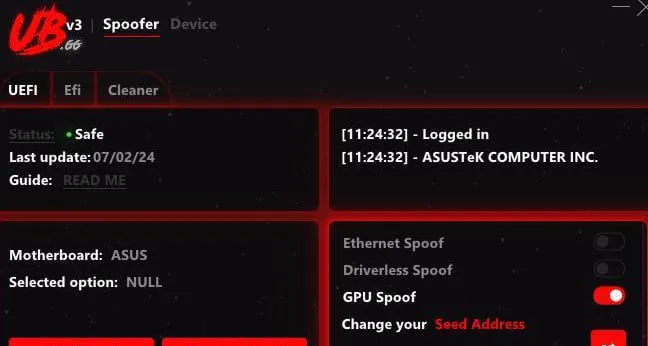
HWID Spoofer for Windows: choosing by game, anti-cheat, and ban type
The MEMEZ HWID Spoofer category contains products with different purposes: V2, Shaytan, UBGG Perm, and UBGG TPM. Choose by the exact game, its anti-cheat, your Windows build, and the identifiers involved in the restriction rather than by a product name or a broad compatibility claim. Launch conditions differ: one option includes a cleaner, another requires a Windows reinstall after spoofing, and TPM spoofing has its own preparation requirements.
An HWID ban is commonly associated with hardware and system identifiers, so changing accounts alone may not be sufficient. A spoofer changes or substitutes certain identifiers, but the scope depends on the product. No option guarantees freedom from repeat or future enforcement: the account, game client, anti-cheat, other system data, and user actions may all matter. Check the current description for your exact game before ordering and follow the game service's rules.
HWID Spoofer versus TPM Spoofer
An HWID Spoofer works with hardware and system identifiers that an anti-cheat may use to recognize a PC. V2, Shaytan, and UBGG Perm belong to this group, but their anti-cheat lists and preparation procedures differ. “Permanent” in the UBGG Perm description refers to the stated persistence of identifier replacement; it is not a promise of lifetime compatibility or account safety.
A TPM Spoofer addresses a separate class of restrictions involving the Trusted Platform Module. Conventional HWID spoofing does not necessarily change TPM identifiers. UBGG TPM is designed for that scenario: its description lists EAC, BattlEye, Vanguard for Valorant, and Ricochet in games with TPM bans. A TPM product should not automatically be treated as a full substitute for a conventional HWID Spoofer in every game. For Valorant, the UBGG Perm card specifically says to use it together with the TPM Spoofer.
Practical comparison of V2, Shaytan, UBGG Perm, and UBGG TPM
| Product | Anti-cheats and example games from the description | Preparation and distinguishing conditions |
|---|
| V2 | BattlEye: EFT, DayZ, Squad; Ricochet: Call of Duty: Warzone. SCUM and Dead by Daylight are also mentioned separately. | No OS reinstall is required after anti-cheat action; a built-in cleaner is included. The requirements say to disable TPM in BIOS. |
| Shaytan | EAC, BattlEye, Ricochet, and VAC: listed examples include Rust, Apex Legends, Fortnite, EFT, DayZ, Arma 3, R6S, Hunt: Showdown, Call of Duty, and CS2. | No OS reinstall is required after anti-cheat action; no cleaner or separate TPM 2.0 function is listed. Fortnite has a specific limitation: tournaments are not supported. |
| UBGG Perm | EAC, BattlEye, VAC, and Ricochet; the description names Rust, Apex, Fortnite, DBD, The Finals, EFT, DayZ, R6S, Call of Duty, and CS2. | Permanent HWID replacement is stated. A Windows reinstall is mandatory after spoofing; no cleaner or TPM function is listed. FaceIt requires RAID0 or new drives, while Valorant requires an additional TPM Spoofer. |
| UBGG TPM | For games with TPM bans: EAC, BattlEye, Vanguard for Valorant, and Ricochet are listed; examples include Valorant, Fortnite, Call of Duty, and Apex. | Targets TPM identifiers; the description says changes persist after a Windows reinstall and BIOS/UEFI reflash. An 8 GB or larger USB drive is required for installation only. No cleaner is listed. |
When to consider V2
Consider V2 first when your game and anti-cheat are explicitly listed on its card: BattlEye for EFT, DayZ, or Squad, or Ricochet for Call of Duty: Warzone. Its practical differences are a built-in cleaner for after-ban system preparation and no mandatory OS reinstall after anti-cheat action. SCUM and Dead by Daylight are separately listed as working without an OS reinstall. Do not extend that compatibility to other games or anti-cheats unless the current description confirms it.
When to consider Shaytan
Shaytan covers a broader anti-cheat list: EasyAntiCheat, BattlEye, Ricochet, and VAC. It is worth comparing when your game is listed and you want to avoid reinstalling Windows. Unlike V2, it has no built-in cleaner. No separate TPM 2.0 function is listed either, so a TPM ban should not be assumed to be covered without a specialized TPM Spoofer. For Fortnite, take the published tournament limitation into account.
When to consider UBGG Perm
Compare UBGG Perm with the other HWID options when the stated permanent nature of identifier replacement matters and you are prepared for the mandatory Windows reinstall after applying it. The anti-cheat list includes EAC, BattlEye, VAC, and Ricochet, but your exact game still needs a separate check. With no built-in cleaner, you should not expect the same automated preparation offered by V2. FaceIt and Valorant add requirements: RAID0 or new drives for FaceIt, and a separate TPM Spoofer for Valorant.
When UBGG TPM is relevant
UBGG TPM is not a universal replacement for the other products; it addresses a confirmed TPM scenario. It changes only the TPM module and does not change drive or motherboard serial numbers or other HWIDs. The TPM change persists through a Windows reinstall and BIOS/UEFI reflash. In Call of Duty, it may help in about 50% of cases (50/50), without a guaranteed result. If conventional HWID spoofing is also needed, confirm the required combination and sequence with support before making changes.
System requirements and PC preparation
- V2: Windows 10–11, builds 2004–23H2; Intel or AMD CPU. The card lists TPM 2.0, while the requirements say to disable the TPM module in BIOS. Do not interpret this as TPM spoofing; follow the V2-specific guide and ask support about the setting if anything is unclear.
- Shaytan: Windows 10–11, builds 2004–25H2; Intel or AMD CPU. No built-in cleaner or separate TPM 2.0 function is listed.
- UBGG Perm: Windows 10–11, builds 2004–25H2; Intel or AMD CPU. Prepare for a Windows reinstall after spoofing, back up important data, and account for the additional FaceIt and Valorant conditions.
- UBGG TPM: Windows 7/8/10/11, x32/x64; Intel or AMD CPU. Installation requires an 8 GB or larger USB drive; it does not need to remain connected after installation.
Before changing anything, check the exact game title, mode, anti-cheat, and Windows edition and build. Never use one product's guide for another: disabling TPM for V2, installing UBGG TPM from USB, and reinstalling the OS after UBGG Perm are different procedures. Follow the current guide for BIOS/UEFI, disk configuration, and system changes, and back up important data first.
Cleaner, Windows reinstall, and launch sequence
A cleaner helps prepare the system after a ban, but it does not replace the spoofer and cannot guarantee removal of every data point a game or anti-cheat may consider. Of these four options, only V2 lists a built-in cleaner. Shaytan, UBGG Perm, and UBGG TPM do not, so equivalent automated preparation should not be assumed, and third-party cleaners should not be added without a specific need.
Windows reinstall requirements also depend on the product. V2 and Shaytan do not require one after anti-cheat action. UBGG Perm requires one after applying the spoofer. UBGG TPM does not require one after anti-cheat action, and the stated persistence of its TPM changes through an OS reinstall does not override a game's other requirements. If the selected product's current guide sets a stricter sequence, that guide takes priority.
After purchase, the key and guide are available in the account dashboard; the product cards describe activation through MEMEZ Launcher. Read the entire guide before starting and follow its sequence. Do not run multiple spoofers together or add unrequested cleaning, reflashing, or hardware changes.
Support and pre-purchase checks
If the right option is unclear, open a ticket with MEMEZ support before changing the system. Provide the game and mode, anti-cheat, Windows version and build, CPU, TPM availability, the ban or error text, and whether you can reinstall the OS. For UBGG TPM, confirm that you have a suitable USB drive; for FaceIt and Valorant, ask about the additional requirements separately. If launch fails, save the exact error, a screenshot, and the stage at which it occurred. Support can help with selection and activation, but neither successful spoofing nor freedom from future restrictions can be guaranteed.